Buy autoplin.eu ?
We are moving the project
autoplin.eu .
Are you interested in purchasing the domain
autoplin.eu ?
domain@kv-gmbh.de · 0541-91531010
Buy autoplin.eu ?
Up to what age does Family Link apply?
Family Link can be used to manage a child's Google Account until they turn 13 years old. At that age, the child can choose to graduate to a regular Google Account. However, parents can still supervise and manage their child's account settings even after they turn 13, if they choose to do so. **
Does Instagram not have a sign-up link?
Yes, Instagram does have a sign-up link. When you visit the Instagram website or open the app, you will see a "Sign Up" option that allows new users to create an account. The sign-up process typically requires providing an email address or phone number, creating a username and password, and setting up a profile. Once the account is created, users can start sharing photos and videos, following other accounts, and engaging with content on the platform. **


Similar search terms for Link-up
Top-Angebote
Products related to Link-up:
-
Smart Shopping Spot Motorcycle Refueling Funnel With Filter Gasoline & Engine Oil Funnel For Car Repair & Maintenance Motorcycle Refueling Funnel With Filter Gasoline & Engine Oil Funnel For Car Repair & MaintenanceWhen it comes to maintaining your motorcycle or car, precision and convenience are key. The motorcycle refueling funnel with filter ensures you can easily and cleanly transfer gasoline or engine oil, without the mess. Designed for both motorcyclists...29,97 $*Shipping: 0,00 $Secure redirect to the provider
-
The Cart Load Quick Coupler Adapter, Car A C High Low Side Conversion Kit For Easy Installation Quick Coupler Adapter, Car A C High Low Side Conversion Kit For Easy InstallationThe Quick Coupler Adapter is an essential tool for anyone looking to convert their cars air conditioning system from R1234yf to R134a. This Fits Car AC High Low Side Conversion Kit ensures a seamless connection, providing a quick and hasslefree...44,97 $*Shipping: 0,00 $Secure redirect to the provider
-
Multisell Products Hub Easy Installation Brake Conversion Seat, High Strength Aluminum Alloy Extension redUpgrade Your Driving with the High Strength Aluminum Alloy Brake Extension Experience enhanced 1 pair performance and durability with the Brake Extension High Strength Aluminum Alloy. This brake conversion seat is crafted with precision to provide a...39,97 $*Shipping: 0,00 $Secure redirect to the provider
-
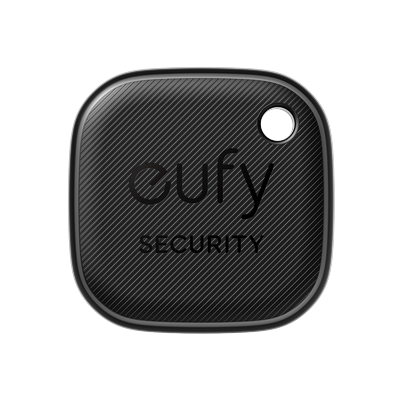
SmartTrack Link BlackTrack Your Items Worldwide with Apple Find My: eufy SmartTrack Link pairs with the Apple Find My app to locate your belongings anywhere in the world. It uses Bluetooth to broadcast its location to nearby Apple devices, which relay the signal...11,99 $*Shipping: 0,00 $Secure redirect to the provider


-
Can Family Link also be set up for adults?
Yes, Family Link can also be set up for adults. While the primary focus of Family Link is to help parents manage their children's digital activities, it can also be used for adults who want to manage their own screen time and app usage. Adults can use Family Link to set digital ground rules for themselves, such as setting screen time limits and managing app usage. This can be helpful for adults who want to monitor and control their own digital habits. **
-
How can I set up the D-Link DAP 2020?
To set up the D-Link DAP 2020, start by connecting the device to a power source using the included power adapter. Then, use an Ethernet cable to connect the DAP 2020 to your existing router. Next, access the DAP 2020's web-based setup page by typing its IP address into a web browser. Follow the on-screen instructions to configure the settings, such as creating a new Wi-Fi network name and password. Once the setup is complete, you can disconnect the Ethernet cable and place the DAP 2020 in a central location for optimal Wi-Fi coverage. **
-
Why doesn't the Huawei MediaPad 10 Link boot up anymore?
There could be several reasons why the Huawei MediaPad 10 Link is not booting up anymore. It could be due to a software issue, such as a corrupted operating system or a failed update. Hardware problems, such as a faulty battery or power button, could also be the cause. It is recommended to try troubleshooting steps like performing a hard reset or contacting Huawei customer support for further assistance. **
-
Why can't the TP-Link WA850RE repeater be set up?
The TP-Link WA850RE repeater may not be able to be set up due to various reasons such as incorrect placement, interference from other devices, outdated firmware, or incorrect configuration settings. It is important to ensure that the repeater is placed within the range of the main router, away from obstructions, and that the firmware is up to date. Additionally, double-checking the configuration settings and following the manufacturer's instructions carefully can help troubleshoot any setup issues. **


How can one hide the link for the Elementor pop-up?
To hide the link for the Elementor pop-up, you can use custom CSS to target the specific link and set its display property to "none". You can do this by adding a custom CSS class to the link element and then using that class to apply the "display: none;" property. Alternatively, you can use JavaScript to dynamically hide the link when the pop-up is triggered. This can be done by adding an event listener to the pop-up trigger and then using JavaScript to hide the link element when the pop-up is opened. **
How can I set up the app lock for Family Link?
To set up the app lock for Family Link, you can follow these steps: 1. Open the Family Link app on your device and select your child's account. 2. Tap on "Manage settings" and then "Controls on Google Play." 3. Under "Manage apps," select the apps you want to lock and tap "Lock." 4. You can also set a daily screen time limit for the locked apps by tapping on "Set time limits." Once you have set up the app lock, your child will need to request your permission to use the locked apps, and you will receive a notification to approve or deny the request. **
Top-Angebote
Products related to Link-up:
-
All Categories Goods Master Link Pliers Bike Hand, Chain Installation Tool, Fits Bike Chains Master Link Pliers Bike Hand, Chain Installation Tool, Fits Bike ChainsEfficient Chain Installation with Bike Hand YC335 Master Link Pliers The Bike Hand YC335 Master Link Pliers is an essential tool for any bike enthusiast or mechanic. Designed specifically for quick and easy chain installation, it ensures that your...42,97 $*Shipping: 0,00 $Secure redirect to the provider
-
All Categories Goods Up & Downstream Oxygen Sensor, Boost Engine Efficiency & Fuel Economy Up & Downstream Oxygen Sensor, Boost Engine Efficiency & Fuel EconomyMaximize Engine Efficiency with Our Oxygen Sensor These 2 pcs Oxygen Sensor is a key component in optimizing your vehicle's performance. Designed to increase fuel efficiency, it plays a vital role in ensuring that your engine runs smoothly. Whether...74,97 $*Shipping: 0,00 $Secure redirect to the provider
-
Smart Shopping Spot Motorcycle Refueling Funnel With Filter Gasoline & Engine Oil Funnel For Car Repair & Maintenance Motorcycle Refueling Funnel With Filter Gasoline & Engine Oil Funnel For Car Repair & MaintenanceWhen it comes to maintaining your motorcycle or car, precision and convenience are key. The motorcycle refueling funnel with filter ensures you can easily and cleanly transfer gasoline or engine oil, without the mess. Designed for both motorcyclists...29,97 $*Shipping: 0,00 $Secure redirect to the provider
-
The Cart Load Quick Coupler Adapter, Car A C High Low Side Conversion Kit For Easy Installation Quick Coupler Adapter, Car A C High Low Side Conversion Kit For Easy InstallationThe Quick Coupler Adapter is an essential tool for anyone looking to convert their cars air conditioning system from R1234yf to R134a. This Fits Car AC High Low Side Conversion Kit ensures a seamless connection, providing a quick and hasslefree...44,97 $*Shipping: 0,00 $Secure redirect to the provider
-
Up to what age does Family Link apply?
Family Link can be used to manage a child's Google Account until they turn 13 years old. At that age, the child can choose to graduate to a regular Google Account. However, parents can still supervise and manage their child's account settings even after they turn 13, if they choose to do so. **
-
Does Instagram not have a sign-up link?
Yes, Instagram does have a sign-up link. When you visit the Instagram website or open the app, you will see a "Sign Up" option that allows new users to create an account. The sign-up process typically requires providing an email address or phone number, creating a username and password, and setting up a profile. Once the account is created, users can start sharing photos and videos, following other accounts, and engaging with content on the platform. **
-
Can Family Link also be set up for adults?
Yes, Family Link can also be set up for adults. While the primary focus of Family Link is to help parents manage their children's digital activities, it can also be used for adults who want to manage their own screen time and app usage. Adults can use Family Link to set digital ground rules for themselves, such as setting screen time limits and managing app usage. This can be helpful for adults who want to monitor and control their own digital habits. **
-
How can I set up the D-Link DAP 2020?
To set up the D-Link DAP 2020, start by connecting the device to a power source using the included power adapter. Then, use an Ethernet cable to connect the DAP 2020 to your existing router. Next, access the DAP 2020's web-based setup page by typing its IP address into a web browser. Follow the on-screen instructions to configure the settings, such as creating a new Wi-Fi network name and password. Once the setup is complete, you can disconnect the Ethernet cable and place the DAP 2020 in a central location for optimal Wi-Fi coverage. **
Similar search terms for Link-up
-
Multisell Products Hub Easy Installation Brake Conversion Seat, High Strength Aluminum Alloy Extension redUpgrade Your Driving with the High Strength Aluminum Alloy Brake Extension Experience enhanced 1 pair performance and durability with the Brake Extension High Strength Aluminum Alloy. This brake conversion seat is crafted with precision to provide a...39,97 $*Shipping: 0,00 $Secure redirect to the provider
-
SmartTrack Link BlackTrack Your Items Worldwide with Apple Find My: eufy SmartTrack Link pairs with the Apple Find My app to locate your belongings anywhere in the world. It uses Bluetooth to broadcast its location to nearby Apple devices, which relay the signal...11,99 $*Shipping: 0,00 $Secure redirect to the provider
-
TP-LINK MC210CS Gigabit Single-Mode Fibre Media Converter – 1000Mbps RJ45 to SC, 1310nm, Up to 20km, NewOverview Extend your wired network over long distances with the TP-Link MC210CS Gigabit Single-Mode Fibre Media Converter , a reliable networking solution designed to connect conventional Gigabit Ethernet equipment to compatible single-mode fibre optic infrastructure. Supporting 1000BASE-LX fibre and 1000BASE-T Ethernet conversion , the MC210CS makes it possible to connect network switches, routers and other compatible Ethernet devices across fibre links where conventional copper Ethernet cabling would be unsuitable. Using 1310nm optical transmission technology and SC fibre connectors, supported hardware revisions can extend fibre connections up to 20 kilometres , making the device practical for connecting buildings, business premises and remote network equipment. The 10/100/1000Mbps RJ45 Ethernet port supports automatic speed negotiation and Auto-MDI/MDIX, reducing the need for specialised copper Ethernet crossover cables. Designed to comply with industry networking standards including IEEE 802.3ab and IEEE 802.3z , the TP-Link MC210CS provides a straightforward solution for integrating single-mode fibre links into existing Ethernet infrastructure. Its compact desktop design supports standalone operation, while compatibility with the TP-Link MC1400 chassis provides additional flexibility for supported multi-converter installations. Whether you're extending a business network, connecting remote buildings or integrating fibre into an existing Gigabit Ethernet environment, the TP-Link MC210CS offers practical, reliable network conversion. Key Features & Benefits Gigabit Ethernet to Fibre Conversion – Converts compatible 1000BASE-T copper Ethernet connections to 1000BASE-LX single-mode fibre connections and vice versa. Up to 20km Fibre Transmission – Supports long-distance fibre networking on applicable hardware revisions with suitable fibre infrastructure and optical link conditions. 1000Mbps Gigabit Performance – Provides a high-speed network link suitable for business data and other Ethernet networking applications. 1310nm Optical Wavelength – Uses long-wavelength optical transmission designed for compatible single-mode fibre cabling. SC Fibre Connectivity – Connects to compatible SC fibre optic infrastructure for practical Gigabit network installations. 10/100/1000Mbps RJ45 Connection – Provides a standard copper Ethernet interface for compatible networking equipment. IEEE 802.3ab Compliance – Supports the Gigabit Ethernet standard for twisted-pair copper networking. IEEE 802.3z Compliance – Supports relevant Gigabit fibre Ethernet networking standards. IEEE 802.3x Flow Control – Supports Ethernet flow-control functionality for suitable network environments. Auto-MDI/MDIX – Automatically adjusts copper connection requirements, reducing the need for crossover cables. Automatic Ethernet Negotiation – Supports appropriate speed and duplex negotiation with compatible connected equipment. Full-Duplex Gigabit Fibre Operation – Designed for...20,00 £*Shipping: 0,00 £Secure redirect to the provider
-
Discount Dollar Deals Silver Automatic Center Punch Tool Time Saving, Precision Punch For Equipment Maintenance Installation Silver Automatic Center Punch Tool Time Saving, Precision Punch For Equipment Maintenance InstallationEffortlessly mark your drilling spots with the Silver Automatic Center Punch Tool. Ideal for onsite installations and equipment maintenance, this tool delivers precise, reliable performance with every use. Its automatic feature makes it the perfect...29,97 $*Shipping: 0,00 $Secure redirect to the provider
-
Why doesn't the Huawei MediaPad 10 Link boot up anymore?
There could be several reasons why the Huawei MediaPad 10 Link is not booting up anymore. It could be due to a software issue, such as a corrupted operating system or a failed update. Hardware problems, such as a faulty battery or power button, could also be the cause. It is recommended to try troubleshooting steps like performing a hard reset or contacting Huawei customer support for further assistance. **
-
Why can't the TP-Link WA850RE repeater be set up?
The TP-Link WA850RE repeater may not be able to be set up due to various reasons such as incorrect placement, interference from other devices, outdated firmware, or incorrect configuration settings. It is important to ensure that the repeater is placed within the range of the main router, away from obstructions, and that the firmware is up to date. Additionally, double-checking the configuration settings and following the manufacturer's instructions carefully can help troubleshoot any setup issues. **
-
How can one hide the link for the Elementor pop-up?
To hide the link for the Elementor pop-up, you can use custom CSS to target the specific link and set its display property to "none". You can do this by adding a custom CSS class to the link element and then using that class to apply the "display: none;" property. Alternatively, you can use JavaScript to dynamically hide the link when the pop-up is triggered. This can be done by adding an event listener to the pop-up trigger and then using JavaScript to hide the link element when the pop-up is opened. **
-
How can I set up the app lock for Family Link?
To set up the app lock for Family Link, you can follow these steps: 1. Open the Family Link app on your device and select your child's account. 2. Tap on "Manage settings" and then "Controls on Google Play." 3. Under "Manage apps," select the apps you want to lock and tap "Lock." 4. You can also set a daily screen time limit for the locked apps by tapping on "Set time limits." Once you have set up the app lock, your child will need to request your permission to use the locked apps, and you will receive a notification to approve or deny the request. **
* All prices are inclusive of VAT and, if applicable, plus shipping costs. The offer information is based on the details provided by the respective shop and is updated through automated processes. Real-time updates do not occur, so deviations can occur in individual cases. ** Note: Parts of this content were created by AI.