Buy autoplin.eu ?
We are moving the project
autoplin.eu .
Are you interested in purchasing the domain
autoplin.eu ?
domain@kv-gmbh.de · 0541-91531010
Buy autoplin.eu ?
What are the differences between PowerShell 7 and Windows PowerShell?
PowerShell 7 is the latest version of PowerShell and is cross-platform, meaning it can run on Windows, macOS, and Linux, while Windows PowerShell is only available on Windows. PowerShell 7 has improved performance and compatibility with existing scripts and modules, as well as new features such as pipeline parallelization and the ability to run as a self-contained executable. Additionally, PowerShell 7 has a more modern and consistent scripting language compared to Windows PowerShell. **
What is the difference between Windows PowerShell and PowerShell 7?
Windows PowerShell is the original version of PowerShell that was built on the .NET framework and was primarily designed for Windows systems. PowerShell 7, on the other hand, is a cross-platform version of PowerShell that is open-source and can run on various operating systems like Windows, macOS, and Linux. PowerShell 7 has additional features, improvements, and compatibility with newer versions of .NET Core, making it more versatile and modern compared to Windows PowerShell. **


Similar search terms for PowerShell
Top-Angebote
Products related to PowerShell:
-
Multisell Products Hub Easy Installation Brake Conversion Seat, High Strength Aluminum Alloy Extension blackUpgrade Your Driving with the High Strength Aluminum Alloy Brake Extension Experience enhanced 1 pair performance and durability with the Brake Extension High Strength Aluminum Alloy. This brake conversion seat is crafted with precision to provide a...39,97 $*Shipping: 0,00 $Secure redirect to the provider
-
Discount Dollar Deals Silver Automatic Center Punch Tool Time Saving, Precision Punch For Equipment Maintenance Installation Silver Automatic Center Punch Tool Time Saving, Precision Punch For Equipment Maintenance InstallationEffortlessly mark your drilling spots with the Silver Automatic Center Punch Tool. Ideal for onsite installations and equipment maintenance, this tool delivers precise, reliable performance with every use. Its automatic feature makes it the perfect...29,97 $*Shipping: 0,00 $Secure redirect to the provider
-
Friendly Fresh Finds Sanitary Wrench Installation Tool For Faucet & Pipe Maintenance Multi Functional Plumbing Solution redThe Sanitary Wrench Installation Tool is an essential companion for anyone looking to simplify their home plumbing maintenance. Perfect for homeowners, DIY enthusiasts, and professional plumbers, this tool provides an efficient, hasslefree solution...31,97 $*Shipping: 0,00 $Secure redirect to the provider



-
Can't open Windows PowerShell settings?
If you are unable to open Windows PowerShell settings, there may be a few reasons for this issue. One common reason could be that the Windows PowerShell application is corrupted or not functioning properly. In this case, you may need to reinstall or repair the Windows PowerShell application. Another reason could be that there is a conflict with other applications or settings on your computer that is preventing Windows PowerShell from opening. It is recommended to troubleshoot the issue by checking for any conflicting applications or settings and resolving them accordingly. **
-
How can one learn PowerShell?
One can learn PowerShell by starting with the basics such as understanding cmdlets, variables, and operators. There are many online resources available such as tutorials, courses, and documentation provided by Microsoft. Additionally, practicing by writing scripts and automating tasks can help in gaining proficiency in PowerShell. Joining online communities and forums can also be beneficial for getting help and learning from others. **
-
Why can't PowerShell find Python.exe?
PowerShell may not be able to find Python.exe if it is not included in the system's PATH environment variable. The PATH variable is a list of directories that the system searches for executable files, and if the directory containing Python.exe is not included in the PATH, PowerShell will not be able to locate it. Additionally, if Python is not installed on the system, PowerShell will not be able to find Python.exe. To resolve this issue, you can either add the directory containing Python.exe to the PATH variable or reinstall Python to ensure it is properly installed on the system. **
-
What is the PowerShell PSProvider?
The PowerShell PSProvider is a feature that allows users to access different data stores as if they were a file system. This means that users can navigate and manipulate data in a similar way to how they would interact with files and folders. PSProviders can be used to access various data sources such as the file system, registry, certificate store, and more, making it a versatile tool for managing and accessing different types of data within the PowerShell environment. **

Why doesn't bits work in PowerShell?
In PowerShell, the "bits" command is not recognized because it is not a built-in cmdlet or alias. The "bits" command is specific to the Background Intelligent Transfer Service (BITS) in Windows, which is used for asynchronous file transfers. To use BITS functionality in PowerShell, you would need to utilize the BITS PowerShell cmdlets such as Start-BitsTransfer or Get-BitsTransfer. **
Why is Windows PowerShell not working?
Windows PowerShell may not be working due to various reasons such as corrupted system files, incorrect configurations, or conflicts with other software. It could also be caused by a lack of necessary permissions to run PowerShell scripts or commands. Additionally, issues with the installation of Windows PowerShell or outdated versions of the software could also lead to it not working properly. Troubleshooting these potential causes can help resolve the issue and get Windows PowerShell working again. **
Top-Angebote
Products related to PowerShell:
-
Smart Shopping Spot Motorcycle Refueling Funnel With Filter Gasoline & Engine Oil Funnel For Car Repair & Maintenance Motorcycle Refueling Funnel With Filter Gasoline & Engine Oil Funnel For Car Repair & MaintenanceWhen it comes to maintaining your motorcycle or car, precision and convenience are key. The motorcycle refueling funnel with filter ensures you can easily and cleanly transfer gasoline or engine oil, without the mess. Designed for both motorcyclists...29,97 $*Shipping: 0,00 $Secure redirect to the provider
-
The Cart Load Quick Coupler Adapter, Car A C High Low Side Conversion Kit For Easy Installation Quick Coupler Adapter, Car A C High Low Side Conversion Kit For Easy InstallationThe Quick Coupler Adapter is an essential tool for anyone looking to convert their cars air conditioning system from R1234yf to R134a. This Fits Car AC High Low Side Conversion Kit ensures a seamless connection, providing a quick and hasslefree...44,97 $*Shipping: 0,00 $Secure redirect to the provider
-
Multisell Products Hub Easy Installation Brake Conversion Seat, High Strength Aluminum Alloy Extension blackUpgrade Your Driving with the High Strength Aluminum Alloy Brake Extension Experience enhanced 1 pair performance and durability with the Brake Extension High Strength Aluminum Alloy. This brake conversion seat is crafted with precision to provide a...39,97 $*Shipping: 0,00 $Secure redirect to the provider
-
Discount Dollar Deals Silver Automatic Center Punch Tool Time Saving, Precision Punch For Equipment Maintenance Installation Silver Automatic Center Punch Tool Time Saving, Precision Punch For Equipment Maintenance InstallationEffortlessly mark your drilling spots with the Silver Automatic Center Punch Tool. Ideal for onsite installations and equipment maintenance, this tool delivers precise, reliable performance with every use. Its automatic feature makes it the perfect...29,97 $*Shipping: 0,00 $Secure redirect to the provider
-
What are the differences between PowerShell 7 and Windows PowerShell?
PowerShell 7 is the latest version of PowerShell and is cross-platform, meaning it can run on Windows, macOS, and Linux, while Windows PowerShell is only available on Windows. PowerShell 7 has improved performance and compatibility with existing scripts and modules, as well as new features such as pipeline parallelization and the ability to run as a self-contained executable. Additionally, PowerShell 7 has a more modern and consistent scripting language compared to Windows PowerShell. **
-
What is the difference between Windows PowerShell and PowerShell 7?
Windows PowerShell is the original version of PowerShell that was built on the .NET framework and was primarily designed for Windows systems. PowerShell 7, on the other hand, is a cross-platform version of PowerShell that is open-source and can run on various operating systems like Windows, macOS, and Linux. PowerShell 7 has additional features, improvements, and compatibility with newer versions of .NET Core, making it more versatile and modern compared to Windows PowerShell. **
-
Can't open Windows PowerShell settings?
If you are unable to open Windows PowerShell settings, there may be a few reasons for this issue. One common reason could be that the Windows PowerShell application is corrupted or not functioning properly. In this case, you may need to reinstall or repair the Windows PowerShell application. Another reason could be that there is a conflict with other applications or settings on your computer that is preventing Windows PowerShell from opening. It is recommended to troubleshoot the issue by checking for any conflicting applications or settings and resolving them accordingly. **
-
How can one learn PowerShell?
One can learn PowerShell by starting with the basics such as understanding cmdlets, variables, and operators. There are many online resources available such as tutorials, courses, and documentation provided by Microsoft. Additionally, practicing by writing scripts and automating tasks can help in gaining proficiency in PowerShell. Joining online communities and forums can also be beneficial for getting help and learning from others. **
Similar search terms for PowerShell
-
Friendly Fresh Finds Sanitary Wrench Installation Tool For Faucet & Pipe Maintenance Multi Functional Plumbing Solution redThe Sanitary Wrench Installation Tool is an essential companion for anyone looking to simplify their home plumbing maintenance. Perfect for homeowners, DIY enthusiasts, and professional plumbers, this tool provides an efficient, hasslefree solution...31,97 $*Shipping: 0,00 $Secure redirect to the provider
-
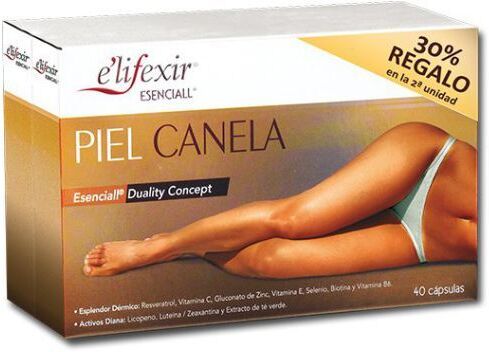
E'lifexir Essential Cinnamon Skin Savings PackageNutrition and Supplements Special supplements E'lifexir Essential Cinnamon Skin Savings Package Nutricosmetic sunscreen to protect skin and eyes. Nutritional complement that prepares the skin for exposure to the sun, promotes a more intense and long-lasting tan and strengthens the skin's defences. Provides antioxidant properties and protects the skin from UV radiation. Results: - Uniform and luminous tan - Eye protection - More elastic and protected skin How to use: Take one capsule a day.33,30 £*Shipping: 3,99 £Secure redirect to the provider
-
Multisell Products Hub Easy Installation Brake Conversion Seat, High Strength Aluminum Alloy Extension goldUpgrade Your Driving with the High Strength Aluminum Alloy Brake Extension Experience enhanced 1 pair performance and durability with the Brake Extension High Strength Aluminum Alloy. This brake conversion seat is crafted with precision to provide a...39,97 $*Shipping: 0,00 $Secure redirect to the provider
-
Why can't PowerShell find Python.exe?
PowerShell may not be able to find Python.exe if it is not included in the system's PATH environment variable. The PATH variable is a list of directories that the system searches for executable files, and if the directory containing Python.exe is not included in the PATH, PowerShell will not be able to locate it. Additionally, if Python is not installed on the system, PowerShell will not be able to find Python.exe. To resolve this issue, you can either add the directory containing Python.exe to the PATH variable or reinstall Python to ensure it is properly installed on the system. **
-
What is the PowerShell PSProvider?
The PowerShell PSProvider is a feature that allows users to access different data stores as if they were a file system. This means that users can navigate and manipulate data in a similar way to how they would interact with files and folders. PSProviders can be used to access various data sources such as the file system, registry, certificate store, and more, making it a versatile tool for managing and accessing different types of data within the PowerShell environment. **
-
Why doesn't bits work in PowerShell?
In PowerShell, the "bits" command is not recognized because it is not a built-in cmdlet or alias. The "bits" command is specific to the Background Intelligent Transfer Service (BITS) in Windows, which is used for asynchronous file transfers. To use BITS functionality in PowerShell, you would need to utilize the BITS PowerShell cmdlets such as Start-BitsTransfer or Get-BitsTransfer. **
-
Why is Windows PowerShell not working?
Windows PowerShell may not be working due to various reasons such as corrupted system files, incorrect configurations, or conflicts with other software. It could also be caused by a lack of necessary permissions to run PowerShell scripts or commands. Additionally, issues with the installation of Windows PowerShell or outdated versions of the software could also lead to it not working properly. Troubleshooting these potential causes can help resolve the issue and get Windows PowerShell working again. **
* All prices are inclusive of VAT and, if applicable, plus shipping costs. The offer information is based on the details provided by the respective shop and is updated through automated processes. Real-time updates do not occur, so deviations can occur in individual cases. ** Note: Parts of this content were created by AI.