Buy autoplin.eu ?
We are moving the project
autoplin.eu .
Are you interested in purchasing the domain
autoplin.eu ?
domain@kv-gmbh.de · 0541-91531010
Buy autoplin.eu ?
What is WPS OPS?
WPS OPS stands for Workforce Planning and Scheduling Operations. It is a process that involves forecasting the workforce needs of an organization and creating schedules to ensure that the right employees are in the right place at the right time. This process helps to optimize staffing levels, reduce costs, and improve overall efficiency within an organization. By accurately predicting staffing requirements and creating efficient schedules, WPS OPS can help businesses meet their operational goals and deliver high-quality service to customers. **
What is the difference between the Miele washing machines WDB030 WPS and WDB038 WPS?
The main difference between the Miele washing machines WDB030 WPS and WDB038 WPS is their load capacity. The WDB030 WPS has a smaller load capacity of 7kg, while the WDB038 WPS has a larger load capacity of 8kg. This means that the WDB038 WPS can handle larger loads of laundry, making it more suitable for households with higher laundry demands. Other than the load capacity, both machines share similar features and functions such as the QuickPowerWash, CapDosing, and the Honeycomb drum. **

Similar search terms for WPS
Top-Angebote
Products related to WPS:
-
D-Link DWA-137 N300 High-Gain USB Wi-Fi Adapter – USB 2.0, Detachable Antenna, WPS, Windows/Mac/Linux CompatibleOverview The D-Link DWA-137 N300 Wi-Fi USB Adapter provides a fast and reliable wireless connection with its detachable high-gain antenna. Compatible with Windows, MacOS, and Linux, it offers easy setup and enhanced signal strength for improved internet performance. Key Features N300 Wi-Fi speed for smooth browsing and streaming Detachable high-gain antenna to boost wireless signal range USB 2.0 interface for plug-and-play convenience WPS (Wi-Fi Protected Setup) button for quick and secure connection Compatible with Windows, MacOS, and Linux operating systems Ultra-portable design for easy use on laptops and desktops Product Description Enhance your wireless connectivity with the D-Link DWA-137 N300 High-Gain Wi-Fi USB Adapter. Its detachable high-gain antenna improves signal reception, ensuring stable and extended Wi-Fi coverage. The USB 2.0 plug-and-play interface makes installation hassle-free, while the WPS button allows secure and fast connection to your network. Compatible across Windows, MacOS, and Linux platforms, this ultra-portable adapter is perfect for upgrading your laptop or desktop’s wireless capabilities, providing reliable internet access wherever you go.15,53 £*Shipping: 0,00 £Secure redirect to the provider
-
Smart Shopping Spot Motorcycle Refueling Funnel With Filter Gasoline & Engine Oil Funnel For Car Repair & Maintenance Motorcycle Refueling Funnel With Filter Gasoline & Engine Oil Funnel For Car Repair & MaintenanceWhen it comes to maintaining your motorcycle or car, precision and convenience are key. The motorcycle refueling funnel with filter ensures you can easily and cleanly transfer gasoline or engine oil, without the mess. Designed for both motorcyclists...29,97 $*Shipping: 0,00 $Secure redirect to the provider
-
The Cart Load Quick Coupler Adapter, Car A C High Low Side Conversion Kit For Easy Installation Quick Coupler Adapter, Car A C High Low Side Conversion Kit For Easy InstallationThe Quick Coupler Adapter is an essential tool for anyone looking to convert their cars air conditioning system from R1234yf to R134a. This Fits Car AC High Low Side Conversion Kit ensures a seamless connection, providing a quick and hasslefree...44,97 $*Shipping: 0,00 $Secure redirect to the provider
-
Multisell Products Hub Easy Installation Brake Conversion Seat, High Strength Aluminum Alloy Extension redUpgrade Your Driving with the High Strength Aluminum Alloy Brake Extension Experience enhanced 1 pair performance and durability with the Brake Extension High Strength Aluminum Alloy. This brake conversion seat is crafted with precision to provide a...39,97 $*Shipping: 0,00 $Secure redirect to the provider


-
How can I connect a Fritz repeater with WPS function to a router without WPS?
To connect a Fritz repeater with WPS function to a router without WPS, you can typically do so by using the Fritz repeater's web interface. First, connect your computer to the repeater's Wi-Fi network. Then, access the repeater's web interface by entering its IP address in a web browser. From there, you can manually configure the connection to your router by entering the network name (SSID) and password. Once the settings are saved, the repeater should be connected to the router without using WPS. **
-
How can I connect a Fritz Repeater with WPS function to a router without WPS?
To connect a Fritz Repeater with WPS function to a router without WPS, you can use the manual setup method. First, connect the repeater to a power source and wait for it to boot up. Then, access the repeater's settings through a web browser by entering its IP address. Follow the on-screen instructions to manually connect the repeater to your router by entering the network name (SSID) and password. Once the setup is complete, the repeater should be connected to the router without using WPS. **
-
What does WPS mean in WLAN?
WPS stands for Wi-Fi Protected Setup in WLAN. It is a feature that allows users to easily connect devices to a secure wireless network without entering the password. WPS typically involves pressing a button on the router and then on the device to establish a secure connection. However, WPS has been found to have security vulnerabilities and is not recommended for use as it can be easily exploited by hackers. **
-
Where is the WPS button located?
The WPS button is typically located on the back or side of a router. It is usually labeled as "WPS" and may be a physical button that you can press. The exact location of the WPS button can vary depending on the make and model of the router, so it is recommended to refer to the router's manual for specific instructions. **


Where do I find the WPS PIN?
The WPS PIN (Wi-Fi Protected Setup Personal Identification Number) can typically be found on a sticker on the bottom or back of your wireless router. It is usually a 8-digit number and may be labeled as "WPS PIN" or "PIN Code". If you are unable to find it on the router, you can also check the router's manual or access the router's settings through a web browser to locate the WPS PIN. **
Does the iPhone have a WPS button?
No, the iPhone does not have a WPS (Wi-Fi Protected Setup) button. WPS is a feature commonly found on routers and other Wi-Fi devices to easily connect to a wireless network. However, iPhones do not have a physical WPS button, and instead, users can connect to a Wi-Fi network by selecting it from the list of available networks and entering the password. **
Top-Angebote
Products related to WPS:
-
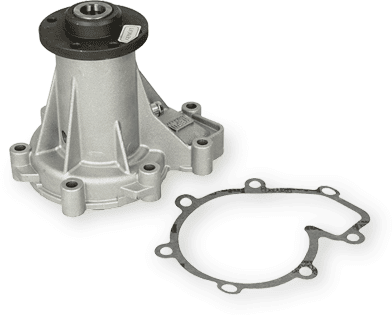
AISIN WPS-007 Water pumpSupplementary Article / Supplementary Info: with gaskets/seals; Quality: Premium; Material: Paper; Construction Year to: 02/1989, 12/2003, 09/2000, 10/1998, 08/2003, 07/2003, 03/2002, 09/2004; Construction Year from: 08/1986, 11/1996, 06/1997, 10/2000, 11/1995; Vehicle type: Swift, Cultus, Baleno, Wagon R21,99 £*Shipping: 8,45 £Secure redirect to the provider
-
D-Link DWA-137 N300 High-Gain USB Wi-Fi Adapter – USB 2.0, Detachable Antenna, WPS, Windows/Mac/Linux CompatibleOverview The D-Link DWA-137 N300 Wi-Fi USB Adapter provides a fast and reliable wireless connection with its detachable high-gain antenna. Compatible with Windows, MacOS, and Linux, it offers easy setup and enhanced signal strength for improved internet performance. Key Features N300 Wi-Fi speed for smooth browsing and streaming Detachable high-gain antenna to boost wireless signal range USB 2.0 interface for plug-and-play convenience WPS (Wi-Fi Protected Setup) button for quick and secure connection Compatible with Windows, MacOS, and Linux operating systems Ultra-portable design for easy use on laptops and desktops Product Description Enhance your wireless connectivity with the D-Link DWA-137 N300 High-Gain Wi-Fi USB Adapter. Its detachable high-gain antenna improves signal reception, ensuring stable and extended Wi-Fi coverage. The USB 2.0 plug-and-play interface makes installation hassle-free, while the WPS button allows secure and fast connection to your network. Compatible across Windows, MacOS, and Linux platforms, this ultra-portable adapter is perfect for upgrading your laptop or desktop’s wireless capabilities, providing reliable internet access wherever you go.15,53 £*Shipping: 0,00 £Secure redirect to the provider
-
Smart Shopping Spot Motorcycle Refueling Funnel With Filter Gasoline & Engine Oil Funnel For Car Repair & Maintenance Motorcycle Refueling Funnel With Filter Gasoline & Engine Oil Funnel For Car Repair & MaintenanceWhen it comes to maintaining your motorcycle or car, precision and convenience are key. The motorcycle refueling funnel with filter ensures you can easily and cleanly transfer gasoline or engine oil, without the mess. Designed for both motorcyclists...29,97 $*Shipping: 0,00 $Secure redirect to the provider
-
What is WPS OPS?
WPS OPS stands for Workforce Planning and Scheduling Operations. It is a process that involves forecasting the workforce needs of an organization and creating schedules to ensure that the right employees are in the right place at the right time. This process helps to optimize staffing levels, reduce costs, and improve overall efficiency within an organization. By accurately predicting staffing requirements and creating efficient schedules, WPS OPS can help businesses meet their operational goals and deliver high-quality service to customers. **
-
What is the difference between the Miele washing machines WDB030 WPS and WDB038 WPS?
The main difference between the Miele washing machines WDB030 WPS and WDB038 WPS is their load capacity. The WDB030 WPS has a smaller load capacity of 7kg, while the WDB038 WPS has a larger load capacity of 8kg. This means that the WDB038 WPS can handle larger loads of laundry, making it more suitable for households with higher laundry demands. Other than the load capacity, both machines share similar features and functions such as the QuickPowerWash, CapDosing, and the Honeycomb drum. **
-
How can I connect a Fritz repeater with WPS function to a router without WPS?
To connect a Fritz repeater with WPS function to a router without WPS, you can typically do so by using the Fritz repeater's web interface. First, connect your computer to the repeater's Wi-Fi network. Then, access the repeater's web interface by entering its IP address in a web browser. From there, you can manually configure the connection to your router by entering the network name (SSID) and password. Once the settings are saved, the repeater should be connected to the router without using WPS. **
-
How can I connect a Fritz Repeater with WPS function to a router without WPS?
To connect a Fritz Repeater with WPS function to a router without WPS, you can use the manual setup method. First, connect the repeater to a power source and wait for it to boot up. Then, access the repeater's settings through a web browser by entering its IP address. Follow the on-screen instructions to manually connect the repeater to your router by entering the network name (SSID) and password. Once the setup is complete, the repeater should be connected to the router without using WPS. **
Similar search terms for WPS
-
The Cart Load Quick Coupler Adapter, Car A C High Low Side Conversion Kit For Easy Installation Quick Coupler Adapter, Car A C High Low Side Conversion Kit For Easy InstallationThe Quick Coupler Adapter is an essential tool for anyone looking to convert their cars air conditioning system from R1234yf to R134a. This Fits Car AC High Low Side Conversion Kit ensures a seamless connection, providing a quick and hasslefree...44,97 $*Shipping: 0,00 $Secure redirect to the provider
-
Multisell Products Hub Easy Installation Brake Conversion Seat, High Strength Aluminum Alloy Extension redUpgrade Your Driving with the High Strength Aluminum Alloy Brake Extension Experience enhanced 1 pair performance and durability with the Brake Extension High Strength Aluminum Alloy. This brake conversion seat is crafted with precision to provide a...39,97 $*Shipping: 0,00 $Secure redirect to the provider
-
Discount Dollar Deals Silver Automatic Center Punch Tool Time Saving, Precision Punch For Equipment Maintenance Installation Silver Automatic Center Punch Tool Time Saving, Precision Punch For Equipment Maintenance InstallationEffortlessly mark your drilling spots with the Silver Automatic Center Punch Tool. Ideal for onsite installations and equipment maintenance, this tool delivers precise, reliable performance with every use. Its automatic feature makes it the perfect...29,97 $*Shipping: 0,00 $Secure redirect to the provider
-
Friendly Fresh Finds Sanitary Wrench Installation Tool For Faucet & Pipe Maintenance Multi Functional Plumbing Solution yellowThe Sanitary Wrench Installation Tool is an essential companion for anyone looking to simplify their home plumbing maintenance. Perfect for homeowners, DIY enthusiasts, and professional plumbers, this tool provides an efficient, hasslefree solution...31,97 $*Shipping: 0,00 $Secure redirect to the provider
-
What does WPS mean in WLAN?
WPS stands for Wi-Fi Protected Setup in WLAN. It is a feature that allows users to easily connect devices to a secure wireless network without entering the password. WPS typically involves pressing a button on the router and then on the device to establish a secure connection. However, WPS has been found to have security vulnerabilities and is not recommended for use as it can be easily exploited by hackers. **
-
Where is the WPS button located?
The WPS button is typically located on the back or side of a router. It is usually labeled as "WPS" and may be a physical button that you can press. The exact location of the WPS button can vary depending on the make and model of the router, so it is recommended to refer to the router's manual for specific instructions. **
-
Where do I find the WPS PIN?
The WPS PIN (Wi-Fi Protected Setup Personal Identification Number) can typically be found on a sticker on the bottom or back of your wireless router. It is usually a 8-digit number and may be labeled as "WPS PIN" or "PIN Code". If you are unable to find it on the router, you can also check the router's manual or access the router's settings through a web browser to locate the WPS PIN. **
-
Does the iPhone have a WPS button?
No, the iPhone does not have a WPS (Wi-Fi Protected Setup) button. WPS is a feature commonly found on routers and other Wi-Fi devices to easily connect to a wireless network. However, iPhones do not have a physical WPS button, and instead, users can connect to a Wi-Fi network by selecting it from the list of available networks and entering the password. **
* All prices are inclusive of VAT and, if applicable, plus shipping costs. The offer information is based on the details provided by the respective shop and is updated through automated processes. Real-time updates do not occur, so deviations can occur in individual cases. ** Note: Parts of this content were created by AI.