Buy autoplin.eu ?
We are moving the project
autoplin.eu .
Are you interested in purchasing the domain
autoplin.eu ?
domain@kv-gmbh.de · 0541-91531010
Buy autoplin.eu ?
Has the Gimp toolbar disappeared?
If the Gimp toolbar has disappeared, it may be due to a few reasons. First, check if the toolbar is simply hidden by going to the "Windows" menu and selecting "Recently Closed Docks" to see if the toolbar can be restored. If that doesn't work, try resetting the Gimp interface to its default settings by going to the "Edit" menu, selecting "Preferences," and then clicking on "Interface" and "Reset Saved Window Positions to Default Values." If the toolbar still does not reappear, it may be a software issue and you may need to reinstall Gimp. **
Has the Teamspeak toolbar disappeared?
Yes, the Teamspeak toolbar has disappeared. This could be due to a variety of reasons such as a software update, a glitch, or accidental removal. To troubleshoot this issue, you can try restarting the Teamspeak application, checking for any updates, or reinstalling the toolbar if necessary. **


Similar search terms for Toolbar
Top-Angebote
Products related to Toolbar:
-
Multisell Products Hub Easy Installation Brake Conversion Seat, High Strength Aluminum Alloy Extension redUpgrade Your Driving with the High Strength Aluminum Alloy Brake Extension Experience enhanced 1 pair performance and durability with the Brake Extension High Strength Aluminum Alloy. This brake conversion seat is crafted with precision to provide a...39,97 $*Shipping: 0,00 $Secure redirect to the provider
-
Discount Dollar Deals Silver Automatic Center Punch Tool Time Saving, Precision Punch For Equipment Maintenance Installation Silver Automatic Center Punch Tool Time Saving, Precision Punch For Equipment Maintenance InstallationEffortlessly mark your drilling spots with the Silver Automatic Center Punch Tool. Ideal for onsite installations and equipment maintenance, this tool delivers precise, reliable performance with every use. Its automatic feature makes it the perfect...29,97 $*Shipping: 0,00 $Secure redirect to the provider
-
Friendly Fresh Finds Sanitary Wrench Installation Tool For Faucet & Pipe Maintenance Multi Functional Plumbing Solution yellowThe Sanitary Wrench Installation Tool is an essential companion for anyone looking to simplify their home plumbing maintenance. Perfect for homeowners, DIY enthusiasts, and professional plumbers, this tool provides an efficient, hasslefree solution...31,97 $*Shipping: 0,00 $Secure redirect to the provider



-
Has the Mozilla bookmarks toolbar disappeared?
Yes, the Mozilla bookmarks toolbar may disappear if it has been accidentally hidden or if there has been a glitch in the browser. To check if the toolbar is hidden, you can right-click on the top of the browser window and select "Bookmarks Toolbar" to make sure it is enabled. If the toolbar is still missing, you can try restarting the browser or resetting the toolbar settings to see if that resolves the issue. **
-
How can I change the Spotify toolbar?
To change the Spotify toolbar, you can customize it by clicking on your profile picture in the top right corner of the app. From there, select "Settings" and then navigate to the "Display Options" section. Here, you can choose to show or hide the toolbar, as well as adjust its size and position on the screen. Experiment with these settings to find the configuration that works best for you. **
-
How can I display the Photoshop toolbar?
To display the Photoshop toolbar, go to the top of the screen and click on the "Window" menu. From the drop-down menu, select "Tools" to show the toolbar. You can also use the keyboard shortcut "T" to toggle the toolbar on and off. The toolbar contains various tools and options that you can use to edit and manipulate your images in Photoshop. **
-
Has my bookmarks toolbar disappeared in Firefox?
If your bookmarks toolbar has disappeared in Firefox, you can try right-clicking on the top area of the browser window and selecting "Bookmarks Toolbar" to make it reappear. You can also press "Ctrl+Shift+B" to toggle the bookmarks toolbar on and off. If these methods don't work, it's possible that the toolbar has been accidentally removed or hidden. You can go to the "View" menu and select "Toolbars" to customize and restore the bookmarks toolbar. **

Has the Magix Music Maker toolbar disappeared?
Yes, the Magix Music Maker toolbar has disappeared. The toolbar was removed in a recent update to the software. Users can still access all the features and functions of Magix Music Maker through the main interface, but the toolbar is no longer available. **
Does the bookmarks toolbar move by itself?
No, the bookmarks toolbar does not move by itself. It remains in a fixed position at the top of the browser window unless the user manually moves it or changes its settings. The bookmarks toolbar is designed to provide easy access to frequently visited websites and is meant to stay in a consistent location for the user's convenience. **
Top-Angebote
Products related to Toolbar:
-
Smart Shopping Spot Motorcycle Refueling Funnel With Filter Gasoline & Engine Oil Funnel For Car Repair & Maintenance Motorcycle Refueling Funnel With Filter Gasoline & Engine Oil Funnel For Car Repair & MaintenanceWhen it comes to maintaining your motorcycle or car, precision and convenience are key. The motorcycle refueling funnel with filter ensures you can easily and cleanly transfer gasoline or engine oil, without the mess. Designed for both motorcyclists...29,97 $*Shipping: 0,00 $Secure redirect to the provider
-
The Cart Load Quick Coupler Adapter, Car A C High Low Side Conversion Kit For Easy Installation Quick Coupler Adapter, Car A C High Low Side Conversion Kit For Easy InstallationThe Quick Coupler Adapter is an essential tool for anyone looking to convert their cars air conditioning system from R1234yf to R134a. This Fits Car AC High Low Side Conversion Kit ensures a seamless connection, providing a quick and hasslefree...44,97 $*Shipping: 0,00 $Secure redirect to the provider
-
Multisell Products Hub Easy Installation Brake Conversion Seat, High Strength Aluminum Alloy Extension redUpgrade Your Driving with the High Strength Aluminum Alloy Brake Extension Experience enhanced 1 pair performance and durability with the Brake Extension High Strength Aluminum Alloy. This brake conversion seat is crafted with precision to provide a...39,97 $*Shipping: 0,00 $Secure redirect to the provider
-
Discount Dollar Deals Silver Automatic Center Punch Tool Time Saving, Precision Punch For Equipment Maintenance Installation Silver Automatic Center Punch Tool Time Saving, Precision Punch For Equipment Maintenance InstallationEffortlessly mark your drilling spots with the Silver Automatic Center Punch Tool. Ideal for onsite installations and equipment maintenance, this tool delivers precise, reliable performance with every use. Its automatic feature makes it the perfect...29,97 $*Shipping: 0,00 $Secure redirect to the provider
-
Has the Gimp toolbar disappeared?
If the Gimp toolbar has disappeared, it may be due to a few reasons. First, check if the toolbar is simply hidden by going to the "Windows" menu and selecting "Recently Closed Docks" to see if the toolbar can be restored. If that doesn't work, try resetting the Gimp interface to its default settings by going to the "Edit" menu, selecting "Preferences," and then clicking on "Interface" and "Reset Saved Window Positions to Default Values." If the toolbar still does not reappear, it may be a software issue and you may need to reinstall Gimp. **
-
Has the Teamspeak toolbar disappeared?
Yes, the Teamspeak toolbar has disappeared. This could be due to a variety of reasons such as a software update, a glitch, or accidental removal. To troubleshoot this issue, you can try restarting the Teamspeak application, checking for any updates, or reinstalling the toolbar if necessary. **
-
Has the Mozilla bookmarks toolbar disappeared?
Yes, the Mozilla bookmarks toolbar may disappear if it has been accidentally hidden or if there has been a glitch in the browser. To check if the toolbar is hidden, you can right-click on the top of the browser window and select "Bookmarks Toolbar" to make sure it is enabled. If the toolbar is still missing, you can try restarting the browser or resetting the toolbar settings to see if that resolves the issue. **
-
How can I change the Spotify toolbar?
To change the Spotify toolbar, you can customize it by clicking on your profile picture in the top right corner of the app. From there, select "Settings" and then navigate to the "Display Options" section. Here, you can choose to show or hide the toolbar, as well as adjust its size and position on the screen. Experiment with these settings to find the configuration that works best for you. **
Similar search terms for Toolbar
-
Friendly Fresh Finds Sanitary Wrench Installation Tool For Faucet & Pipe Maintenance Multi Functional Plumbing Solution yellowThe Sanitary Wrench Installation Tool is an essential companion for anyone looking to simplify their home plumbing maintenance. Perfect for homeowners, DIY enthusiasts, and professional plumbers, this tool provides an efficient, hasslefree solution...31,97 $*Shipping: 0,00 $Secure redirect to the provider
-
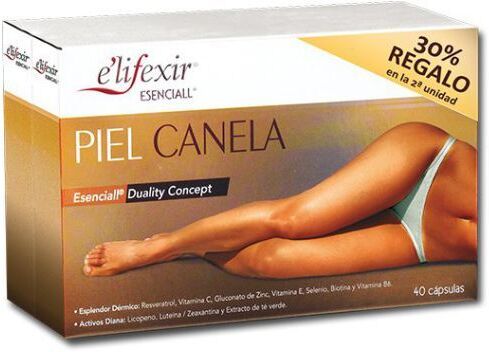
E'lifexir Essential Cinnamon Skin Savings PackageNutrition and Supplements Special supplements E'lifexir Essential Cinnamon Skin Savings Package Nutricosmetic sunscreen to protect skin and eyes. Nutritional complement that prepares the skin for exposure to the sun, promotes a more intense and long-lasting tan and strengthens the skin's defences. Provides antioxidant properties and protects the skin from UV radiation. Results: - Uniform and luminous tan - Eye protection - More elastic and protected skin How to use: Take one capsule a day.33,31 £*Shipping: 3,99 £Secure redirect to the provider
-
Multisell Products Hub Easy Installation Brake Conversion Seat, High Strength Aluminum Alloy Extension blackUpgrade Your Driving with the High Strength Aluminum Alloy Brake Extension Experience enhanced 1 pair performance and durability with the Brake Extension High Strength Aluminum Alloy. This brake conversion seat is crafted with precision to provide a...39,97 $*Shipping: 0,00 $Secure redirect to the provider
-
How can I display the Photoshop toolbar?
To display the Photoshop toolbar, go to the top of the screen and click on the "Window" menu. From the drop-down menu, select "Tools" to show the toolbar. You can also use the keyboard shortcut "T" to toggle the toolbar on and off. The toolbar contains various tools and options that you can use to edit and manipulate your images in Photoshop. **
-
Has my bookmarks toolbar disappeared in Firefox?
If your bookmarks toolbar has disappeared in Firefox, you can try right-clicking on the top area of the browser window and selecting "Bookmarks Toolbar" to make it reappear. You can also press "Ctrl+Shift+B" to toggle the bookmarks toolbar on and off. If these methods don't work, it's possible that the toolbar has been accidentally removed or hidden. You can go to the "View" menu and select "Toolbars" to customize and restore the bookmarks toolbar. **
-
Has the Magix Music Maker toolbar disappeared?
Yes, the Magix Music Maker toolbar has disappeared. The toolbar was removed in a recent update to the software. Users can still access all the features and functions of Magix Music Maker through the main interface, but the toolbar is no longer available. **
-
Does the bookmarks toolbar move by itself?
No, the bookmarks toolbar does not move by itself. It remains in a fixed position at the top of the browser window unless the user manually moves it or changes its settings. The bookmarks toolbar is designed to provide easy access to frequently visited websites and is meant to stay in a consistent location for the user's convenience. **
* All prices are inclusive of VAT and, if applicable, plus shipping costs. The offer information is based on the details provided by the respective shop and is updated through automated processes. Real-time updates do not occur, so deviations can occur in individual cases. ** Note: Parts of this content were created by AI.